
The SteamOS Experience on Android
Run Valve's official Steam client in Big Picture mode on your Snapdragon handheld. Launch Windows games through ARM64 Proton with native Vulkan graphics—no root required.
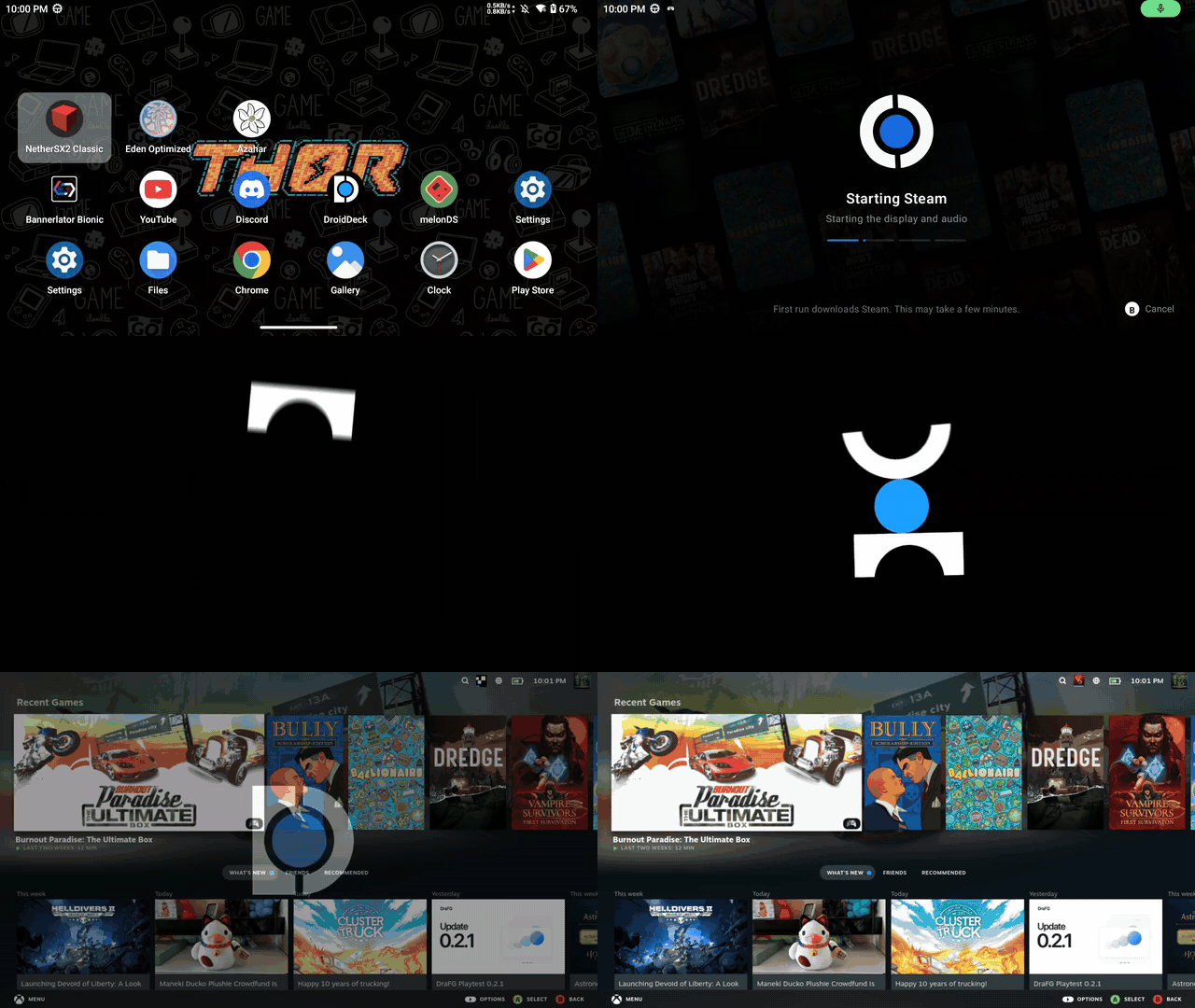
Authentic on-device capture: Tapping DroidDeck on the Android home screen lands straight in Steam Big Picture at 1080p.
Native Architecture
How DroidDeck Brings SteamOS to Android
DroidDeck is not a remote game streaming client like Steam Link or Moonlight, and it is not a bloated Windows virtual machine like Winlator. It executes Valve’s native Linux Steam client directly on your device.
Native ARM64 Steam Client
No Wine and no x86 translation for the Steam client itself. Valve's Linux ARM64 client runs natively under gamescope, presenting frames directly through an in-app Vulkan compositor onto your touchscreen at native display refresh rates (up to 144 Hz).
Valve's ARM64 Proton + FEX
When you launch a Windows game, Steam delegates execution to Valve’s ARM64 Proton build. FEX translates x86/x64 instruction sets on-the-fly, while DXVK translates DirectX calls into native Vulkan pipelines on your Adreno GPU.
Turnip & KGSL Vulkan Pipeline
Qualcomm Snapdragon Adreno 730+ and 8-series GPUs feature desktop-grade Vulkan extensions via open-source Turnip drivers. This bypasses Android's restricted mobile driver limitations and enables true PC game rendering.
Direct Comparison
How DroidDeck Compares to Other Solutions
Why native on-device Steam with ARM64 Proton offers a superior handheld experience compared to game streaming or traditional Windows emulation.
| Feature / Capability | DroidDeck (Native) | Steam Link / Moonlight | Winlator / Mobox | Valve Steam Deck |
|---|---|---|---|---|
| Offline Travel Gaming | ✓ 100% Offline | ✗ Requires Network | ✓ 100% Offline | ✓ 100% Offline |
| Input Lag & Latency | Zero Network Lag | 20–60ms Network Lag | Zero Network Lag | Zero Network Lag |
| User Interface | Steam Big Picture (16:9) | Streamed Big Picture | Windows Desktop / Wine GUI | SteamOS Gamescope |
| Steam Cloud & Achievements | ✓ Native Steam Sync | ✓ Syncs via Host PC | ✗ No Steam Client Sync | ✓ Native Steam Sync |
| Client Overhead | Native ARM64 (Low RAM) | Lightweight Video Decoder | Heavy x86 Windows Emulation | Native x86_64 Arch Linux |
| Device Price Range | $199 – $399 (Existing Android) | Requires $1,000+ Host Gaming PC | Free App on Android | $399 – $649 Hardware |
Feature Highlights
Built for Real Handheld Gaming
Every component in DroidDeck has been engineered specifically for portable controls, thermal stability, and low latency.
Steam Big Picture Mode
Directly boot into Valve's console UI. Effortlessly navigate your Steam library, store, downloads, and cloud saves using your handheld's D-pad and analog sticks.
ARM64 Proton Windows Gaming
Windows binaries are executed through Valve's own ARM64 Proton release. Games download and update automatically inside the Steam client on the device.
Controller & Gyro Editor
Map physical buttons, back paddles, deadzones, and calibrate gyro aiming. Includes on-screen virtual trackpads for navigating desktop menus.
Linux Desktop & Emulators
Switch anytime to an LXQt/labwc desktop session with Firefox, file manager, and compiled ARM64 emulators (DuckStation, PPSSPP, RPCS3) that have no native Android builds.
Dual Screen Companion Mode
Use your phone or a secondary screen as a dedicated trackpad, keyboard, or terminal debugger while the primary display renders full-screen gameplay.
GPL-3.0 Open Source
100% free and open-source forever. Zero telemetry, no user tracking, no hidden monetization, and no account harvesting. Auditable code on GitHub.
Gallery & UI
See DroidDeck in Action
Captured live on Snapdragon 8 Gen 2 hardware running official DroidDeck release builds.
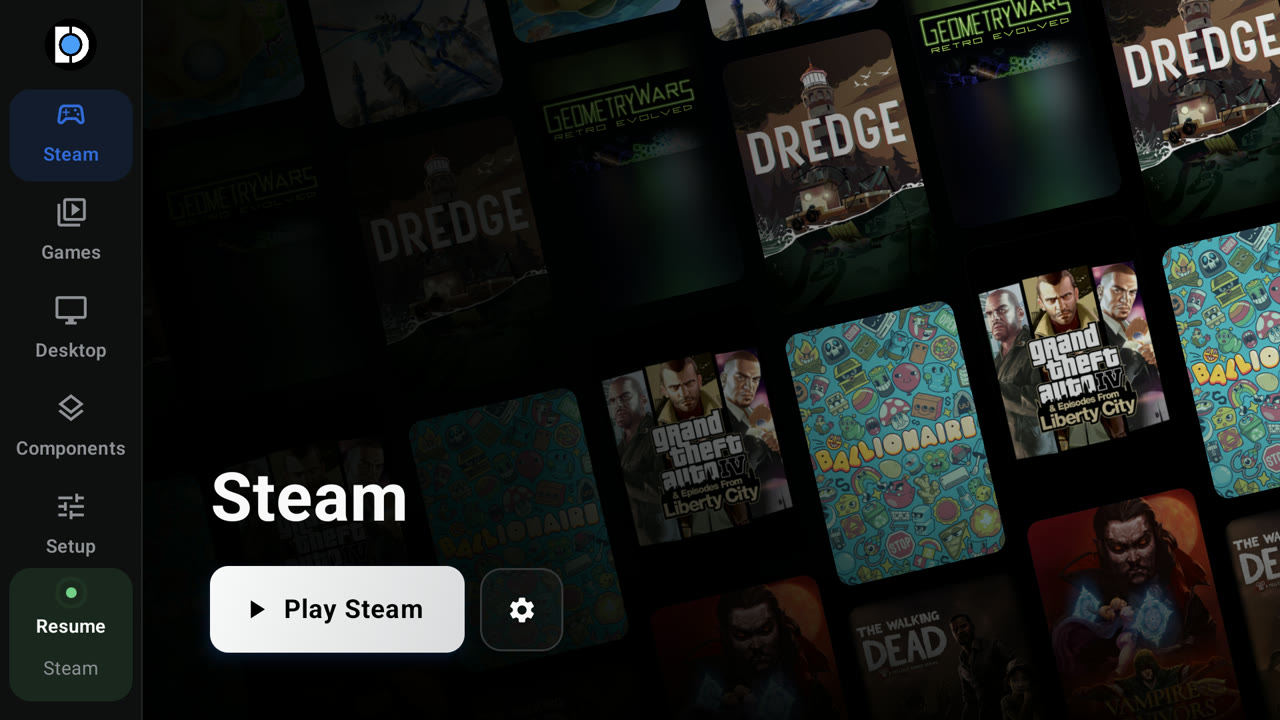
Steam Big Picture Interface
Native 16:9 navigation with Steam store, personal game library, cloud save synchronization, and community features. Effortlessly navigate your collection with physical analog joysticks and D-pads.
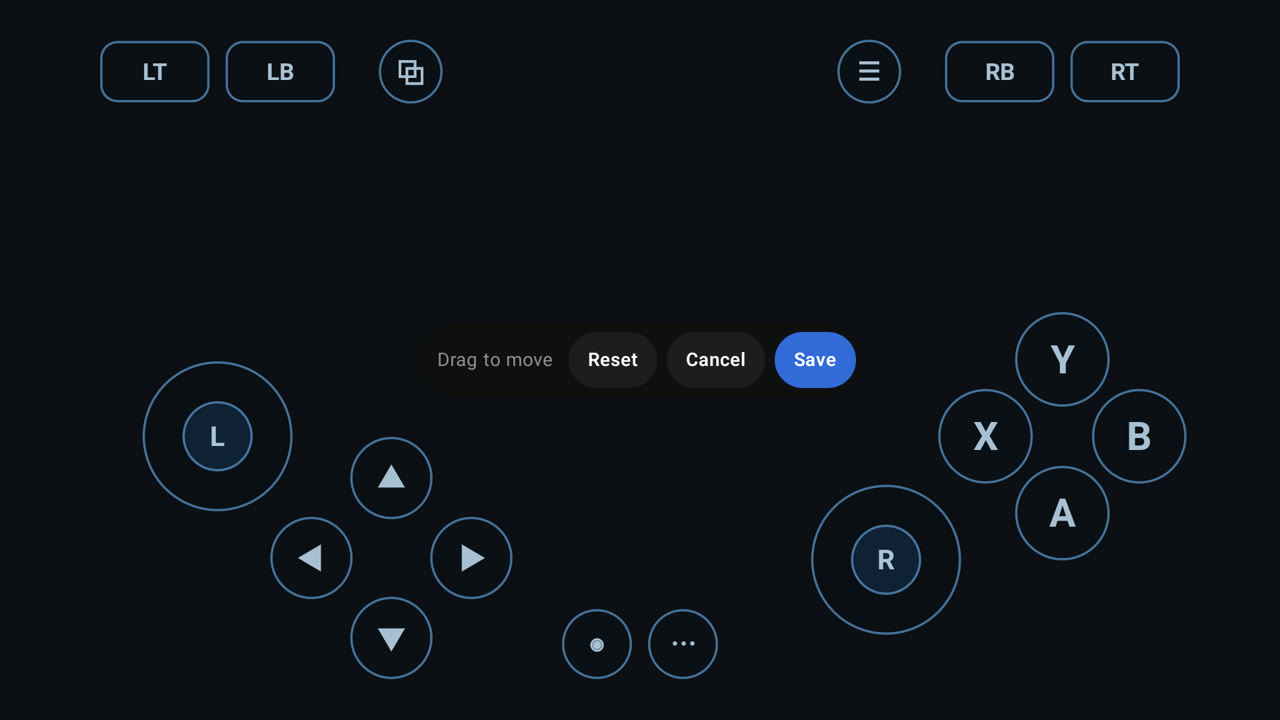
Custom Controller Profiler
Configure virtual touchpads, button triggers, analog deadzones, and physical gamepad bindings per game. Seamlessly swap between standard Xbox 360 controller emulation and dual-trackpad Steam Deck input styles.
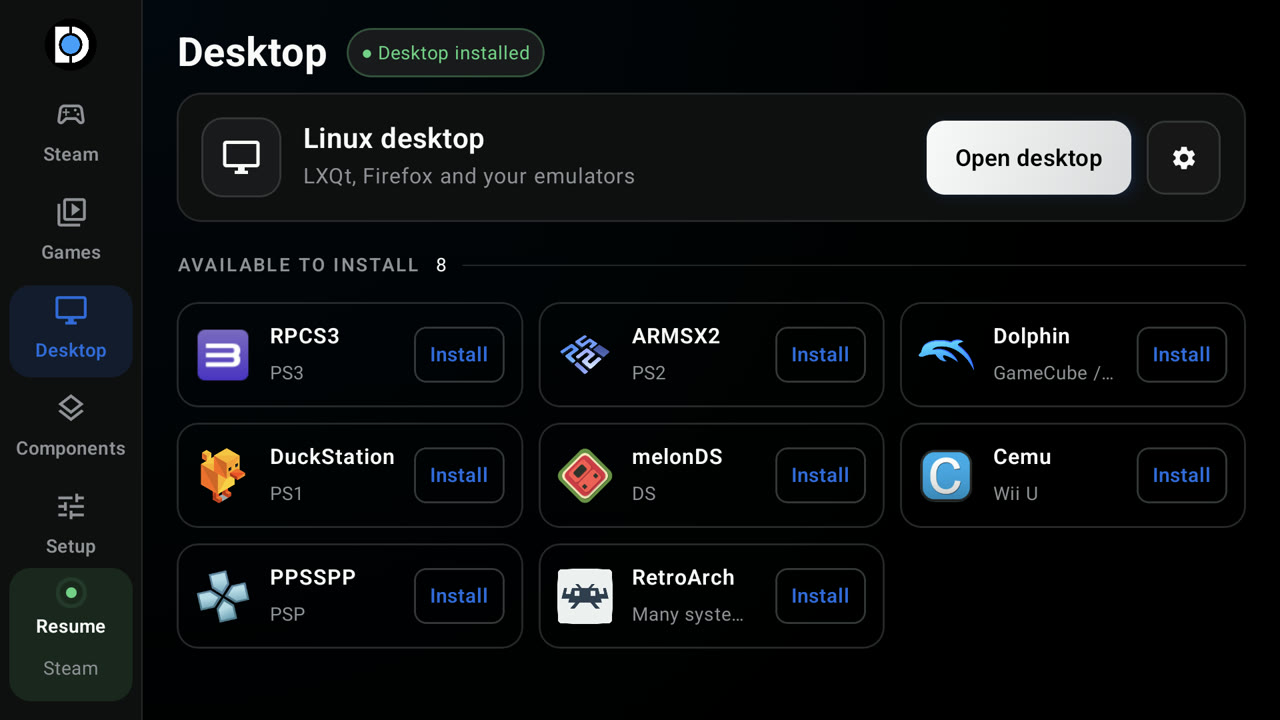
Full Linux Desktop & Emulators
LXQt desktop panel with Firefox, file manager, and compiled ARM64 emulators (DuckStation, PPSSPP, RPCS3) that have no native Android builds. Transforms your handheld into a full-fledged portable Linux PC.
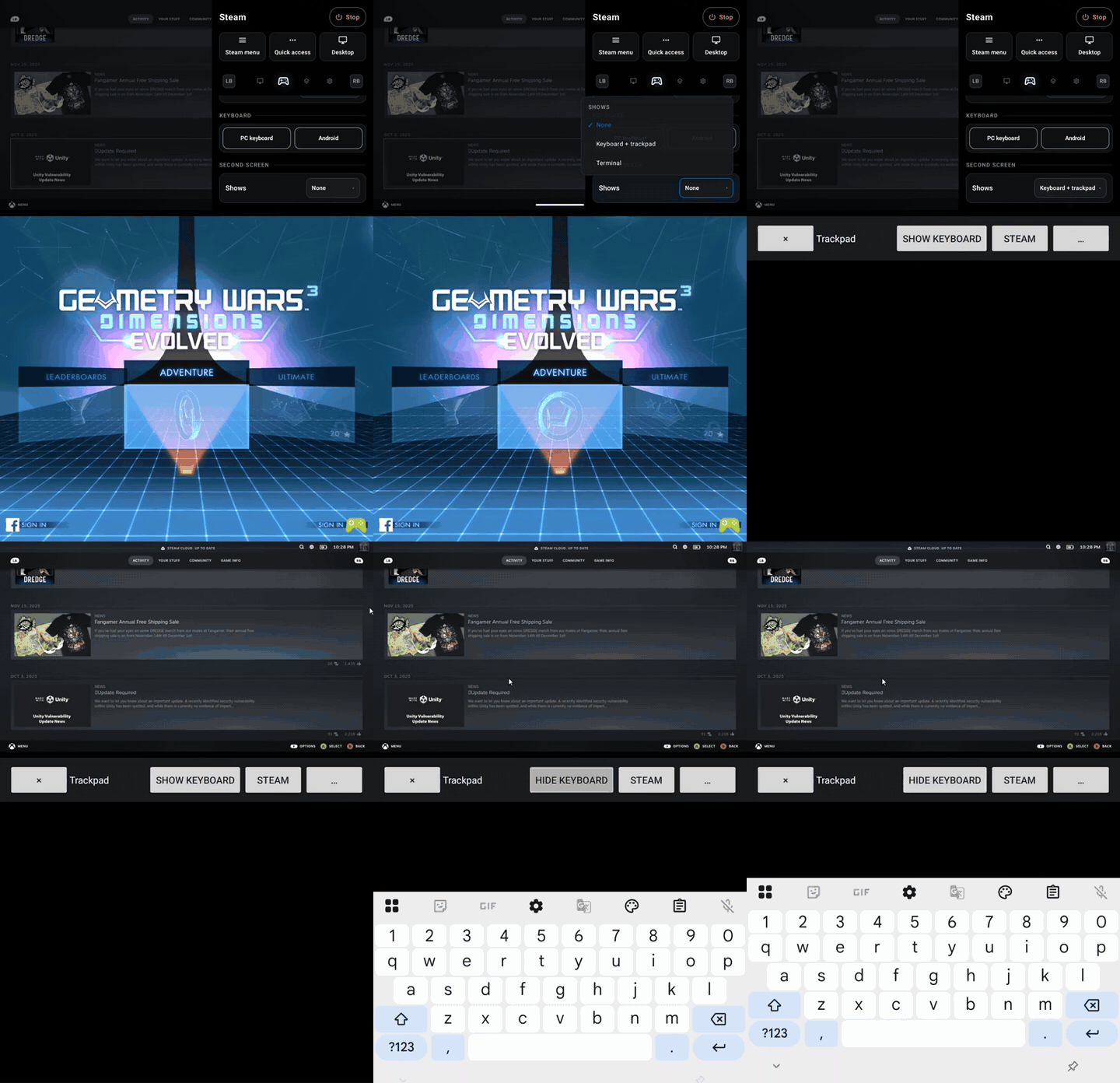
Second Screen Trackpad & Terminal
Turn secondary displays or mobile devices into companion touch controllers. Use your secondary screen as a dedicated trackpad, keyboard, or terminal debugger while the primary display renders full-screen 1080p gameplay without HUD overlay clutter.
Frequently Asked Questions
Everything You Need to Know
Common questions about emulation performance, Qualcomm driver support, and Android compatibility.
DroidDeck brings Valve's Steam client in Big Picture mode to Android handhelds and smartphones. It runs the ARM64 Linux client natively inside an in-app Vulkan compositor (gamescope) on top of a lightweight proot Linux runtime. When Windows games launch, they run through Valve's own ARM64 Proton release using FEX-Emu for x86/x64 instruction translation, allowing you to play PC games on your device without root.
You must have an Android device running Android 9 or newer powered by a Qualcomm Snapdragon processor with an Adreno 730 or newer GPU (such as Snapdragon 8 Gen 1, 8+ Gen 1, 8 Gen 2, 8 Gen 3, 7+ Gen 2) or Adreno 8xx. Handhelds like the Ayn Odin 2, Retroid Pocket 5, and Ayaneo Pocket S are fully verified. ARM Mali, Google Tensor, and Exynos Xclipse GPUs are currently unsupported because they lack necessary Turnip Vulkan driver extensions. Check the Device Compatibility Matrix for full details.
No root is required. DroidDeck runs completely in user space through proot. You simply install the APK, download the runtime packages on first launch, and sign into Steam.
Android 12 introduced a feature called "phantom process killer" which terminates background child processes if an app spawns more than 32 processes. Because Steam and gamescope spawn several background helper processes, Android will terminate them unless you disable "Restrict child processes" in Developer Options. See our Step-by-Step Installation Guide for the 30-second fix.
Ready to Turn Your Android Handheld into a Steam Deck?
Download the latest APK, install the Linux runtime, and boot into Steam Big Picture on your device today.